What does Excel Really Cost in the Closing Process? An Honest Comparison.
What Does Excel Really Cost in the Financial Close? An Honest Comparison
The monthly financial close is one of the most strategic processes within the finance function. It determines the reliability of financial statements, the quality of reporting, and the group’s ability to make decisions based on solid foundations.
Yet too often the close is based on Excel spreadsheets, which have been adapted as they fanned out across the organisation. In a multi-entity group with various ERPs, Excel becomes a one-off processing tool, used as though it were a system.
Excel is so ingrained in our working life, that it feels like it’s free. But there’s a cost to relying solely on it, particularly when it’s providing the numbers on which your business is basing key decisions. The unseen costs are operational and in effect on the team too.
There’s an operational cost to Excel. It’s effortful to gather all the data to close a period. Finance teams face manual ERP extractions at every closing cycle, time-consuming formatting, consolidation of files produced for different periods to enable comparisons, complete reworks whenever an error is detected downstream, and full reprocessing at every close.
The underlying cost of Excel in financial close review activities includes:
- ERP extraction, formatting, multi-file consolidation, and distribution efforts repeated at every closing cycle.
- Complete rework when errors are discovered later in the process.
- Maintenance of Excel models, often concentrated in the hands of a single critical and irreplaceable individual.
- The review workbook itself, whose volume and capacity limitations become apparent as the volume of data and/or scope expands.
- The risk associated with undetected errors in account justification work that may impact the financial statements.
This leads to a toll on the team’s morale during the closing process. In our research on UK CFOs, 93% of decision makers reported a significant impact on team motivation, caused by the workload. 96% cited these deadlines as a major source of stress.
It also keeps the Accounting Director in the role of file builder. Their time is spent managing files rather than analysing accounts. This represents the largest hidden productivity drain within the accounting function. In our survey, 86% highlighted the lack of time available for analysis. Specialised software can transform their work beyond mere time saving, to a more strategic output.
Ultimately, your business is making decisions based on unreliable numbers. One respondent in our survey said:
‘some months I do not have enough time to verify the figures I report’.
This challenge is also reflected in the data from CFOs: only 67% considered themselves highly confident in the reliability of their figures after closing.
Of course, Excel will always remain part of accountants’ daily work. It is the universal tool of the finance function. What these data reveal is that Excel remains the primary tool, often due to the lack of a structured alternative, for tasks that go far beyond what it was originally designed for. For example; managing a multi-entity review process, centralising the documentation supporting account reconciliations, managing versioning of the data along the closing period and ensuring consistency of practices across a group.
The real challenge for an Accounting Director is not choosing between Excel and software. It is identifying the productivity, efficiency, and security levers that allow teams to spend less time managing files and more time performing value-added analysis.
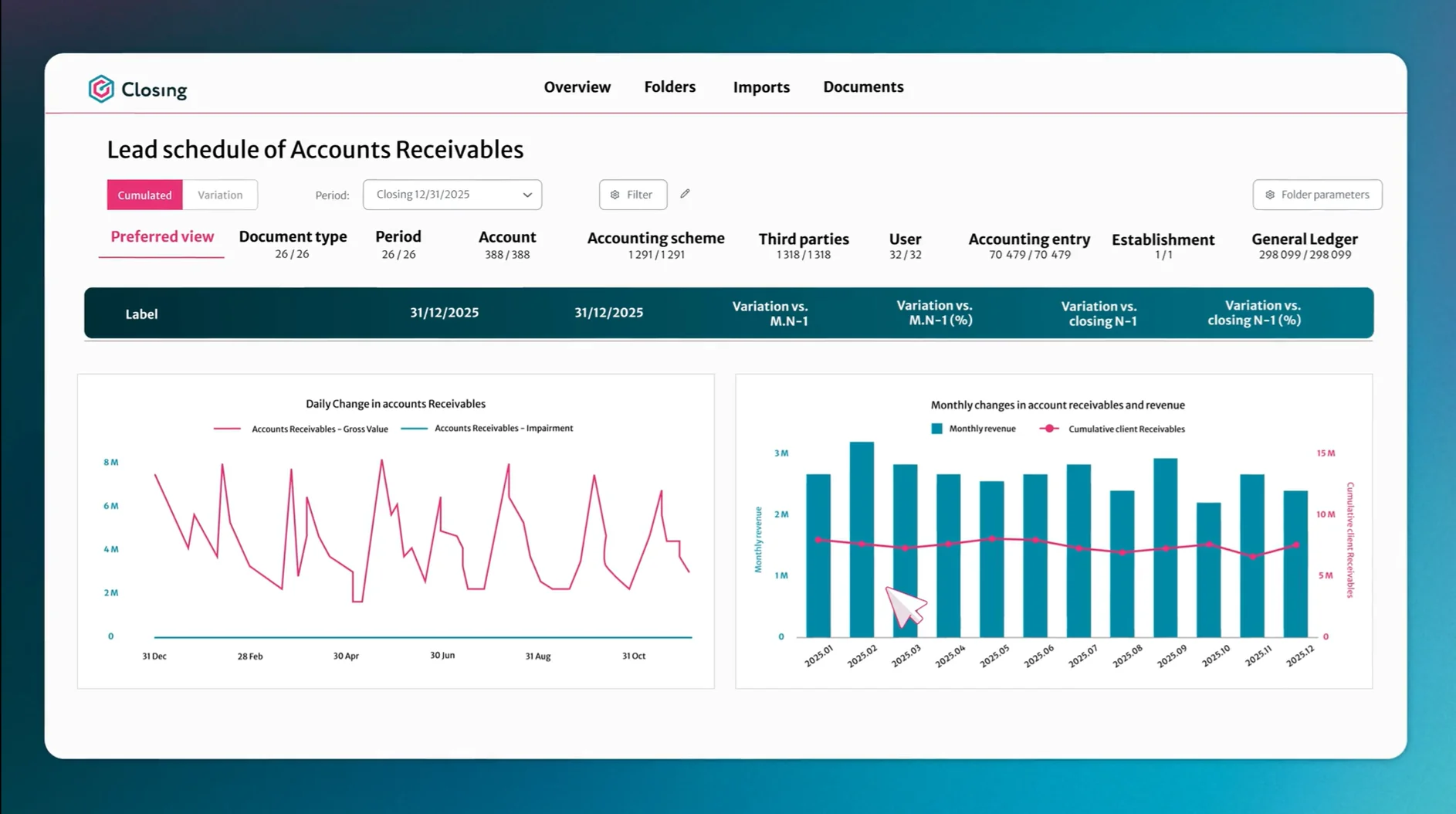
Accounting Directors gain real-time visibility with the combination of specialist software for their account analysis and Excel for specific items, where it is relevant. They can see the progress of review work by entity, by account, and by team member. They can immediately identify unsupported accounts, unresolved anomalies, and delays that may jeopardise closing deadlines. This helps to meet the improvement priorities that executives cited in our research: account analysis and justification (53%), control of manual journal entries (50%), and analytical review (50%). These are precisely the functions that specialised software addresses first.
The greatest cost of Excel to the monthly close is its inefficiency. The closing process provides vital figures for the whole business and Excel is not designed for this task. It needs to be supported with specialist software that augments and validates the data on the spreadsheets.
With Excel plus specialist software, your organisation will be making better financial decisions. It’s time to stop relying on Excel alone.
About the author:
François Vallana, CEO
François Vallana joined Sixthfin in 2026 as Chief Executive Officer, bringing extensive experience in scaling high-growth software, data and B2B platform businesses. He notably contributed to the rise of Enablon, acquired by Wolters Kluwer, before leading Vecteur Plus. His background spans technology, domain expertise and general management. François is driven by one ambition: turning Sixthfin’s technological edge into an essential market standard for finance, control and audit teams.
Published on 13.10.2026